
FlashingTool
A native macOS app for flashing Android devices.
For when MDM isn't practical and a USB cable is faster than the network.
For when MDM isn't practical and a USB cable is faster than the network.
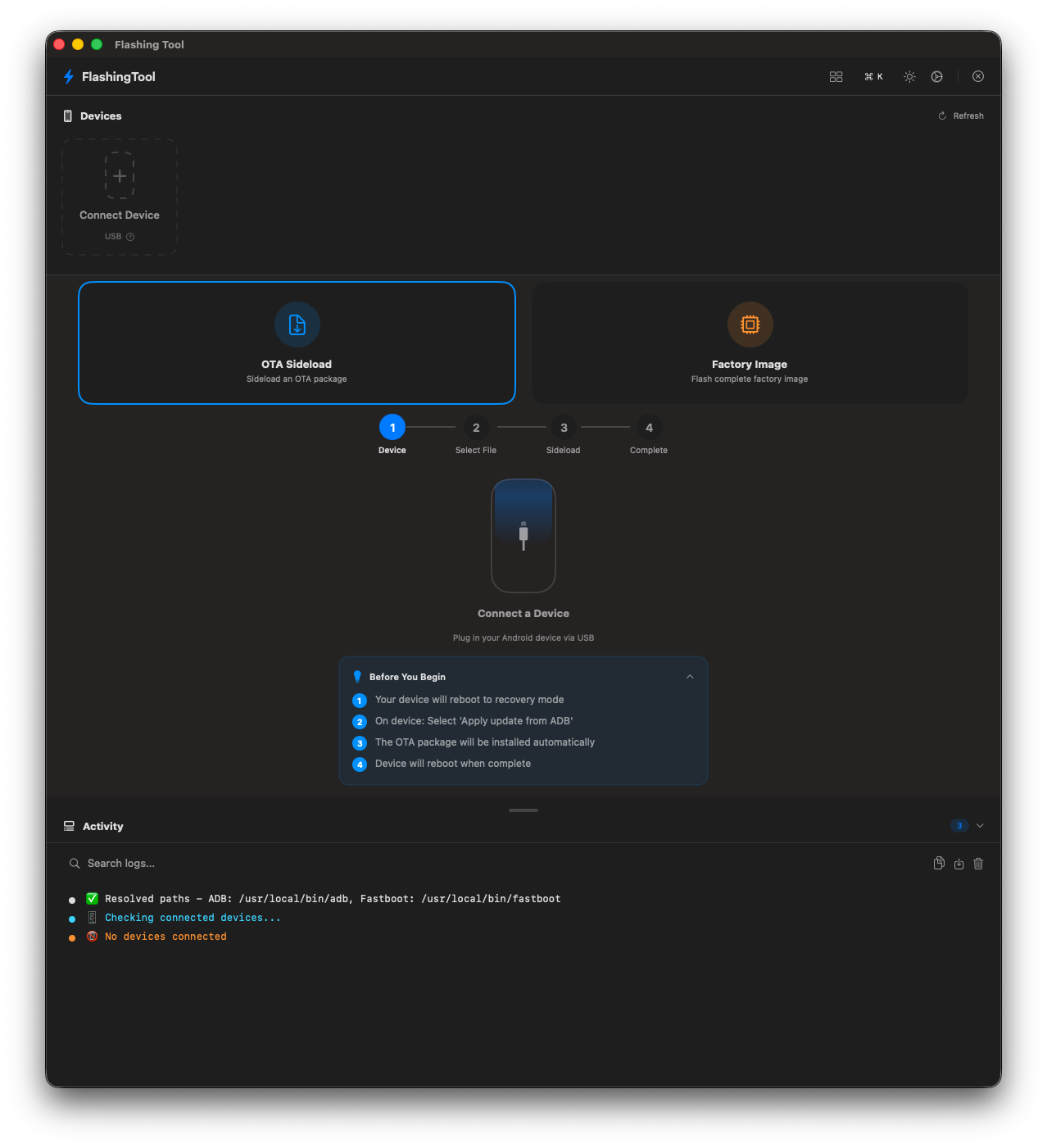
⚡ FlashingTool
What It Does
Wizard Workflows
Step-by-step guided flows for OTA sideload and factory flash. No terminal commands needed.
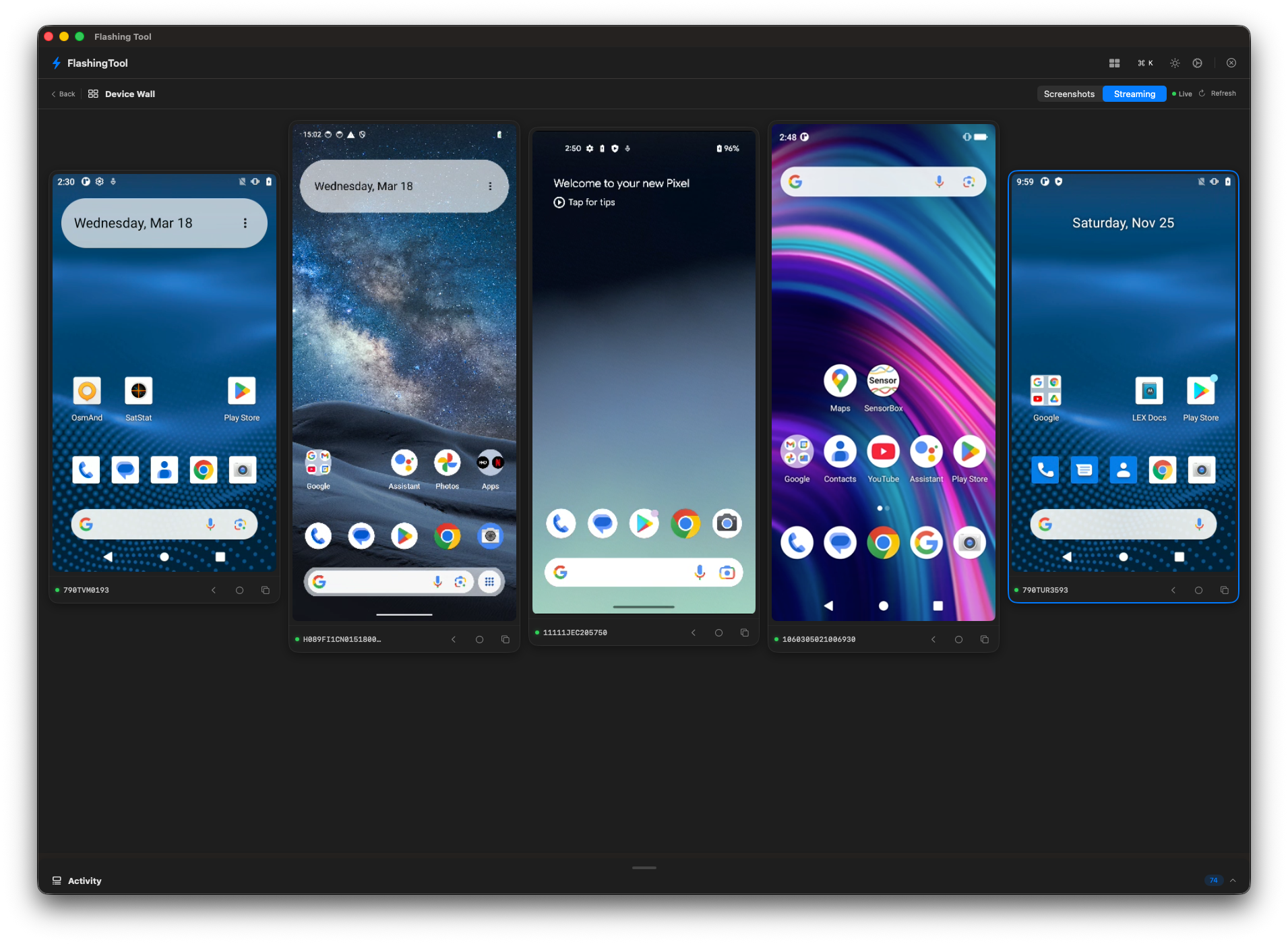
Device Wall
Live grid of all connected screens with screenshot polling or H.264 streaming. Tap and swipe from your Mac.
Screen Mirroring
Mirror or watch any device via scrcpy. Supports multiple simultaneous sessions.
Multi-Device
Device cards with real-time mode indicators — ADB, Fastboot, or Recovery — at a glance.
Bootloader Mgmt
Unlock, flash, and re-lock with clear safety instructions and SHA256 file verification.
Activity Log
Collapsible drawer with real-time ADB/fastboot output and searchable, emoji-coded logs.
⚡ FlashingTool
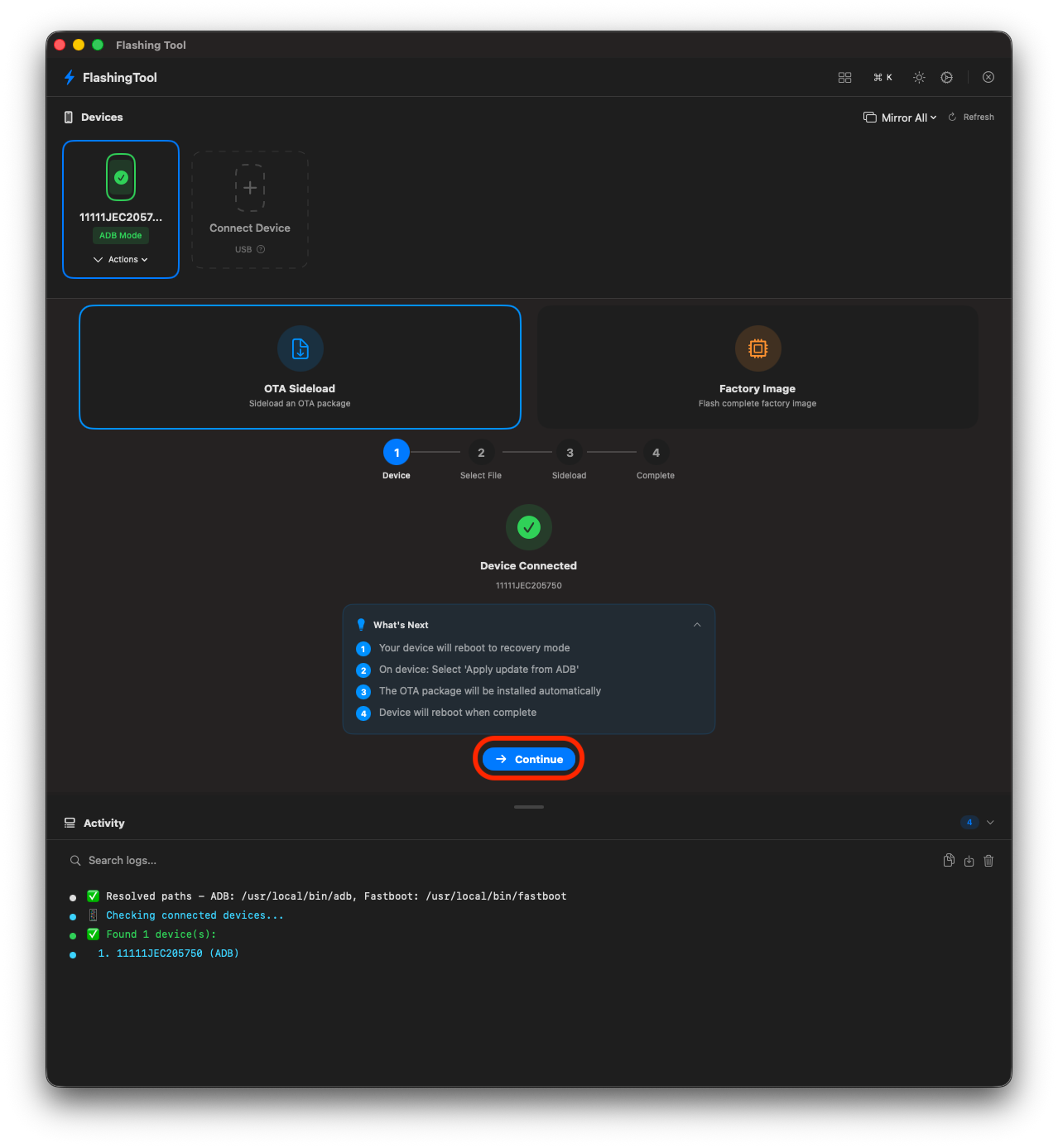
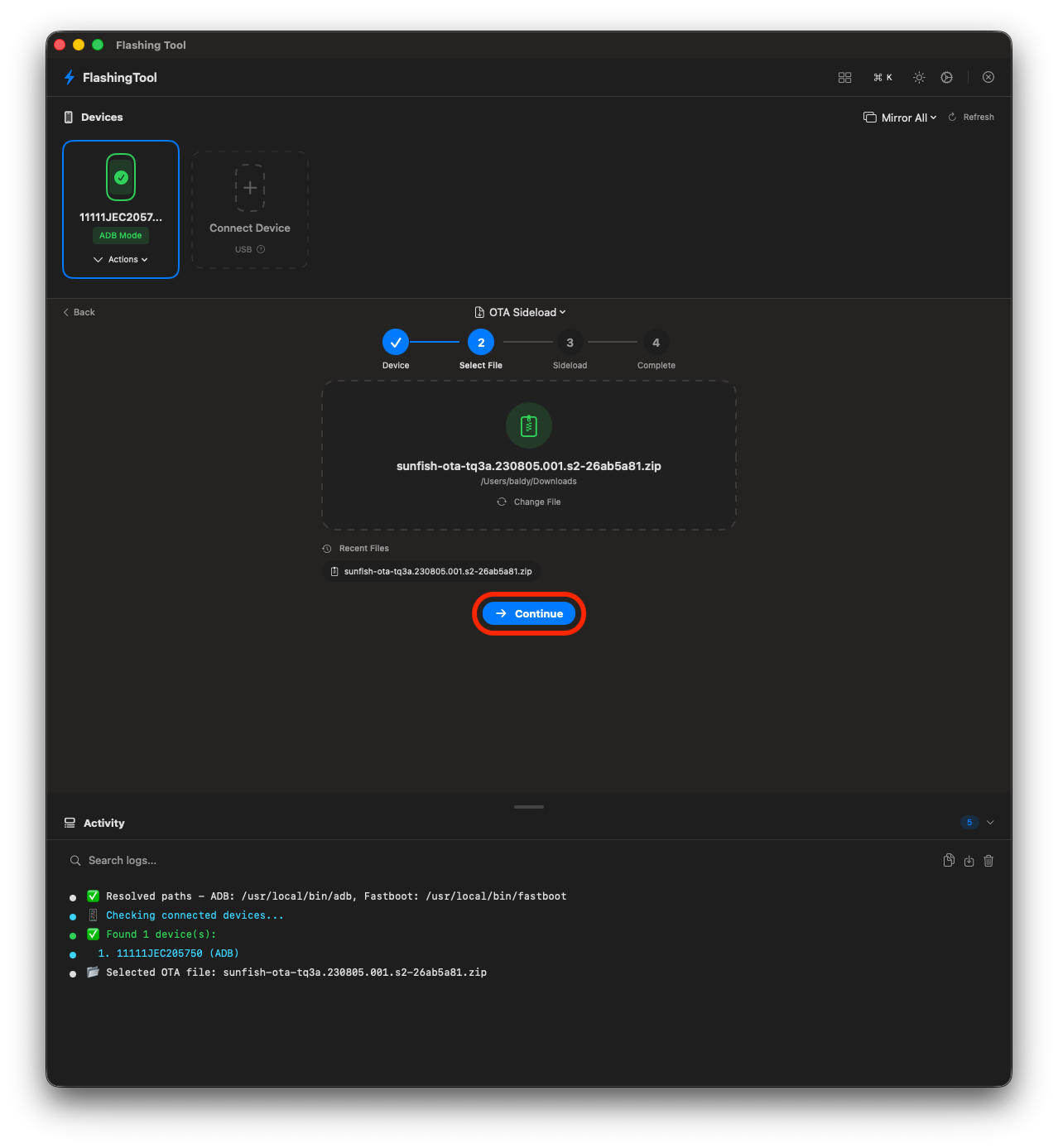
OTA Sideload Workflow
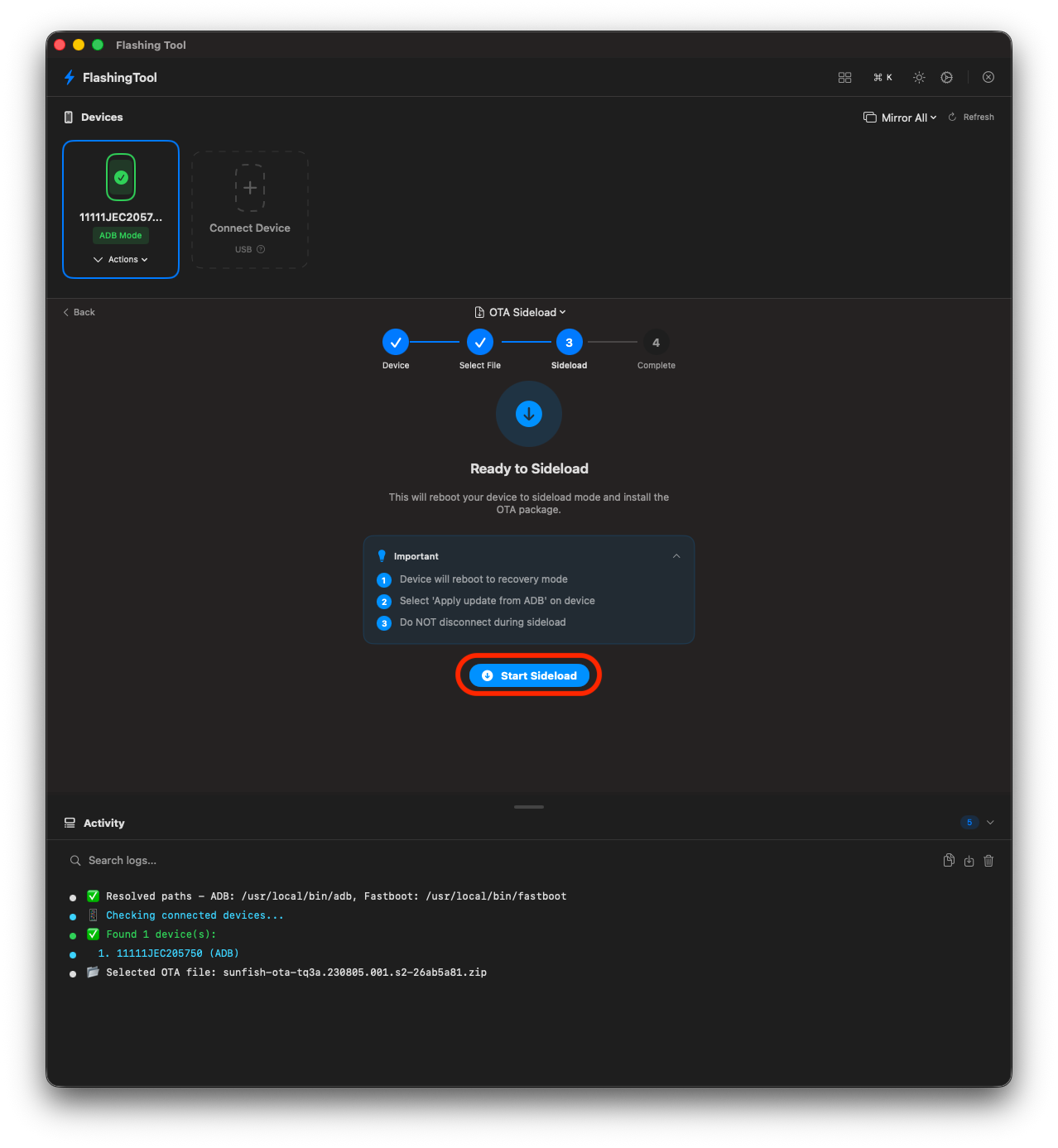
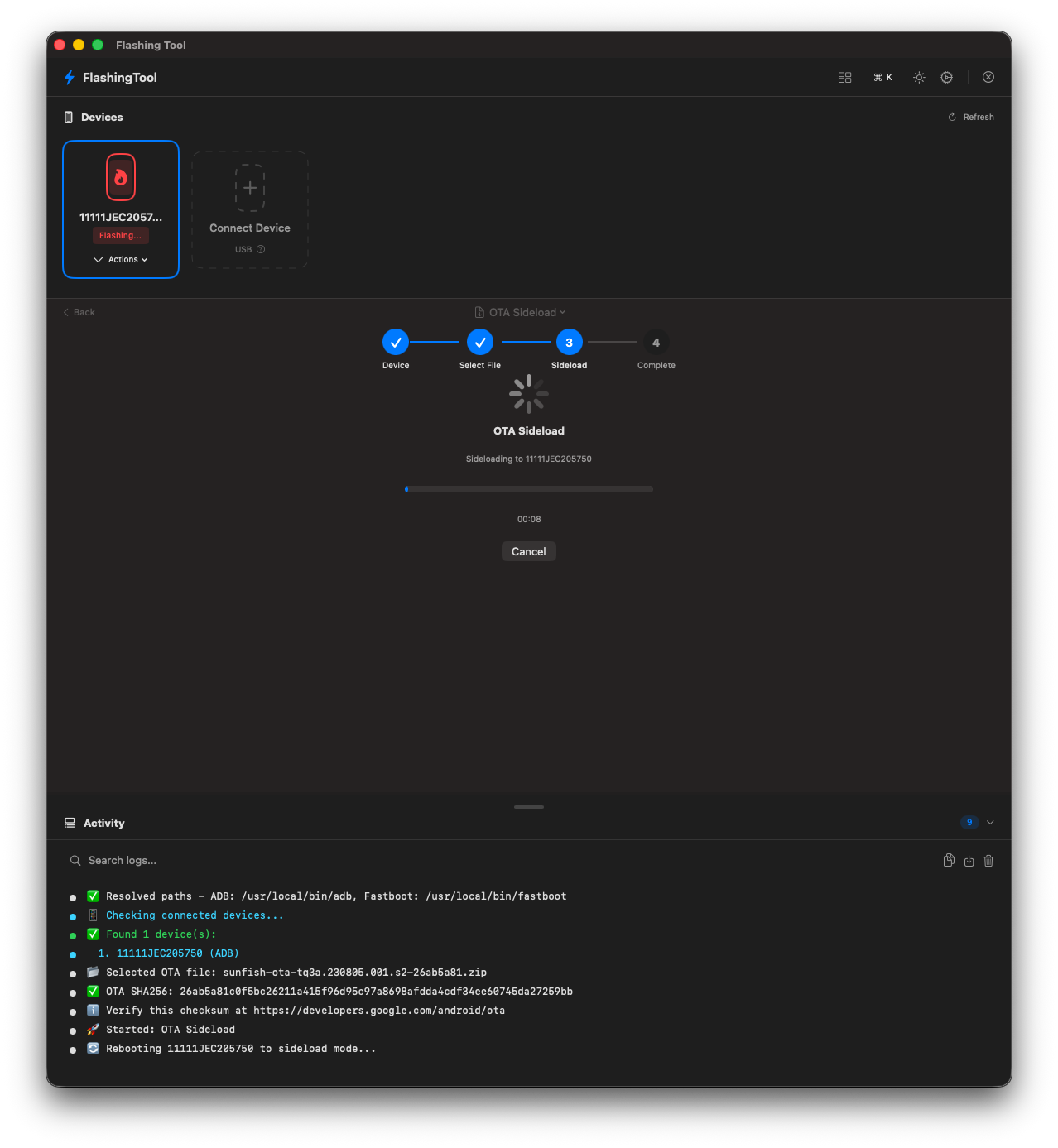
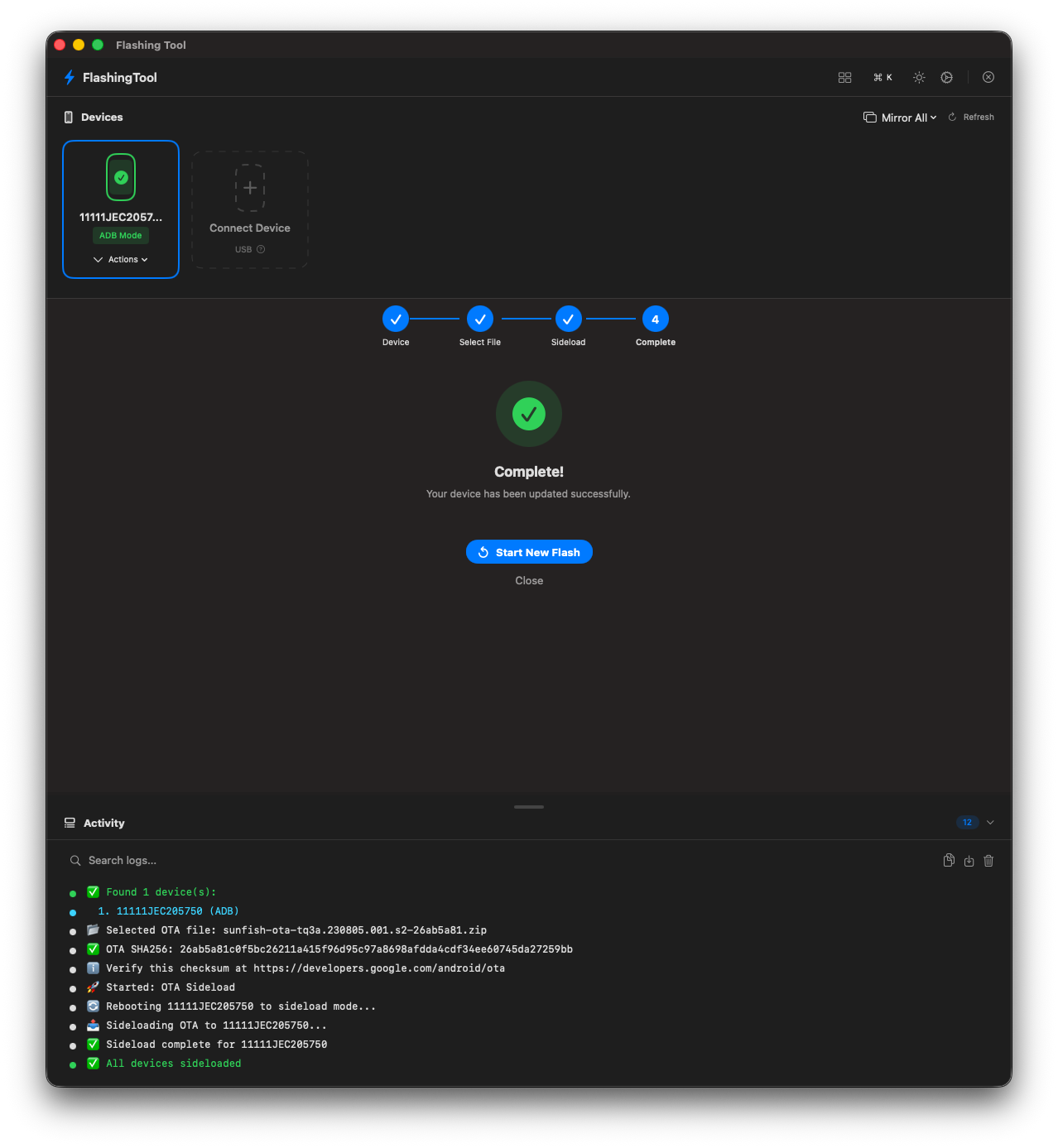
Select OTA file → Reboot to sideload → Flash → Device reboots. Done.
The fastest way to push an update when the network isn't an option.
The fastest way to push an update when the network isn't an option.
1 · SELECT FILE
2 · DROP ZIP
3 · SIDELOAD
4 · PROGRESS
5 · COMPLETE
⚡ FlashingTool
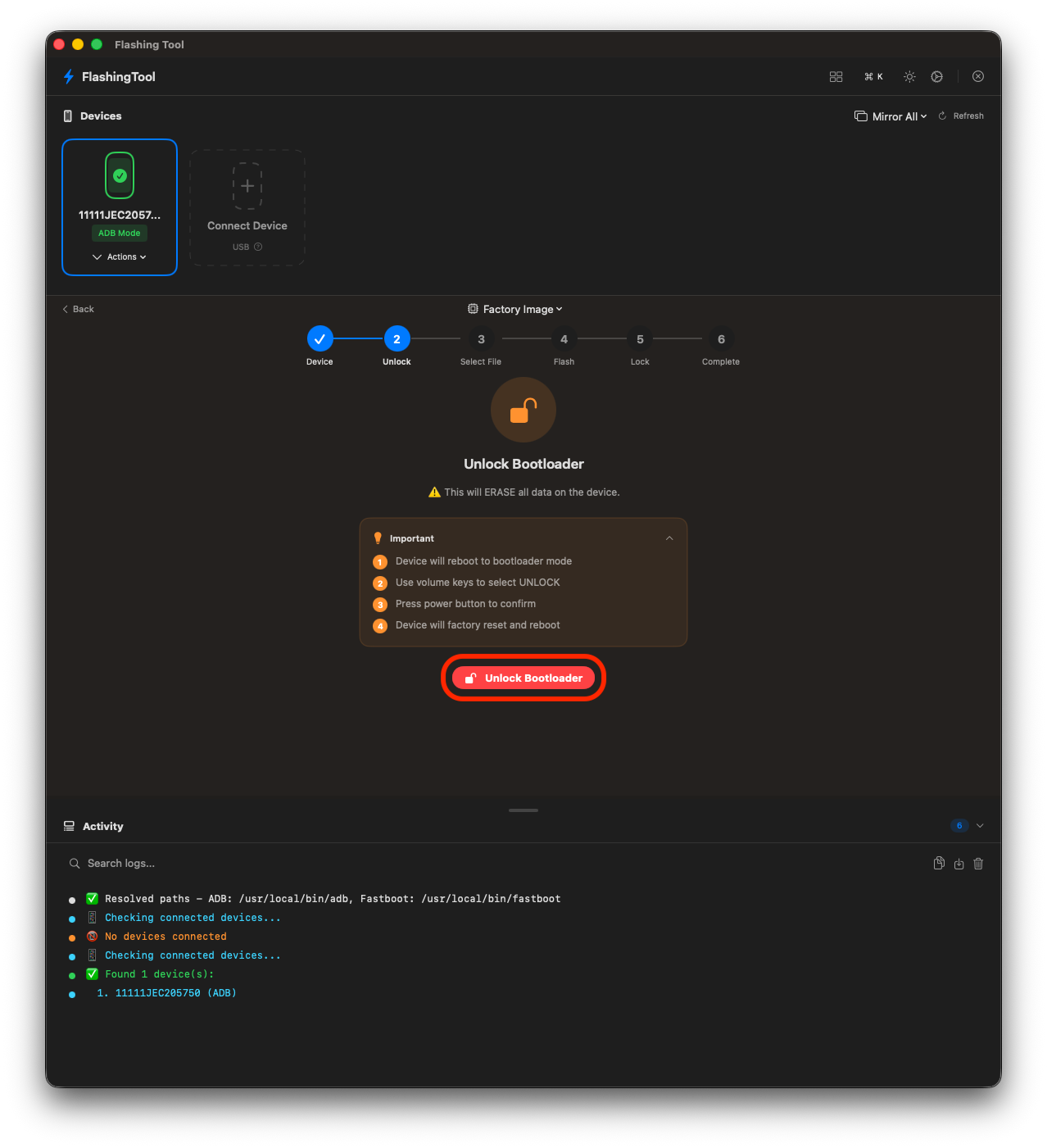
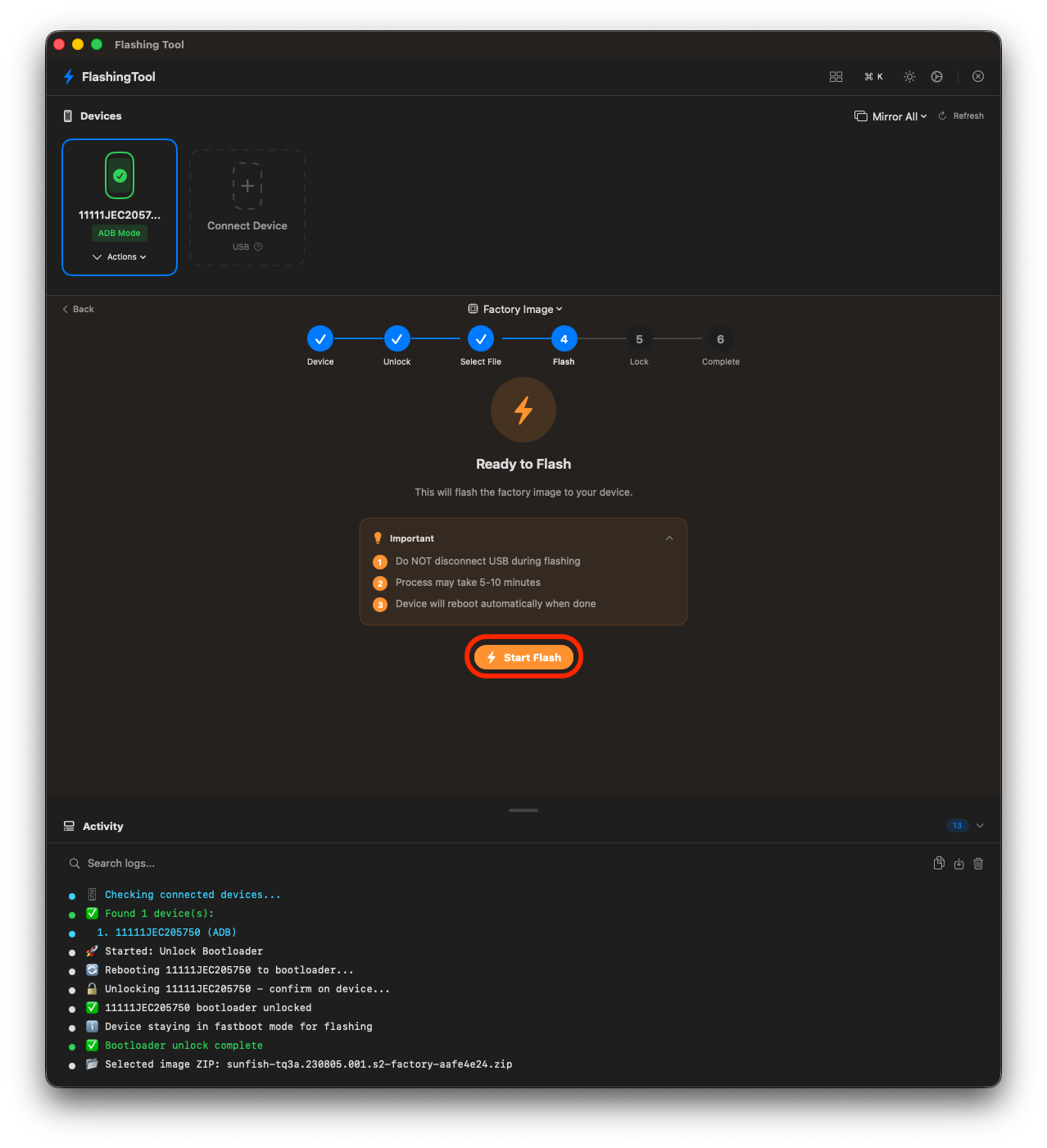
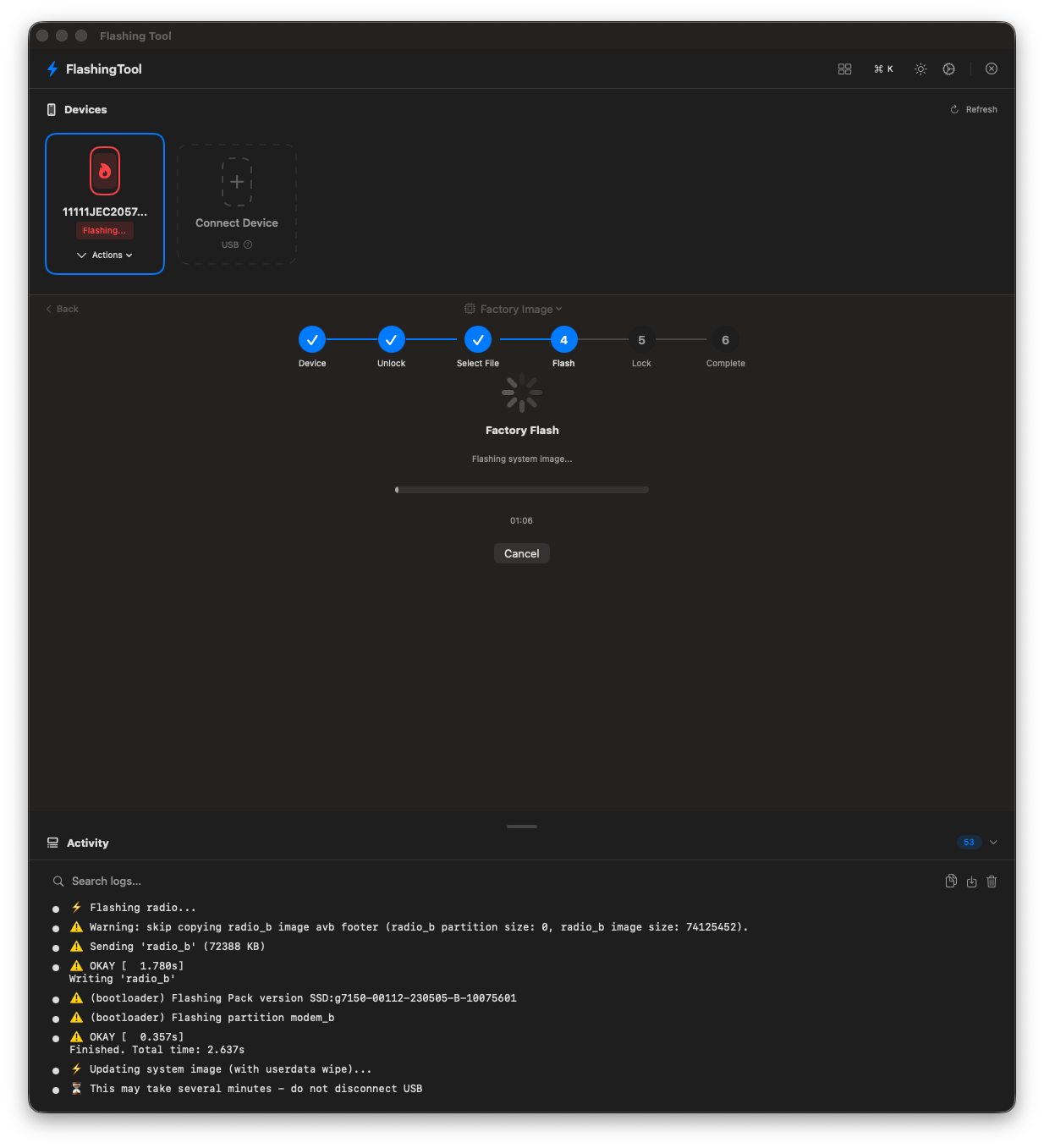
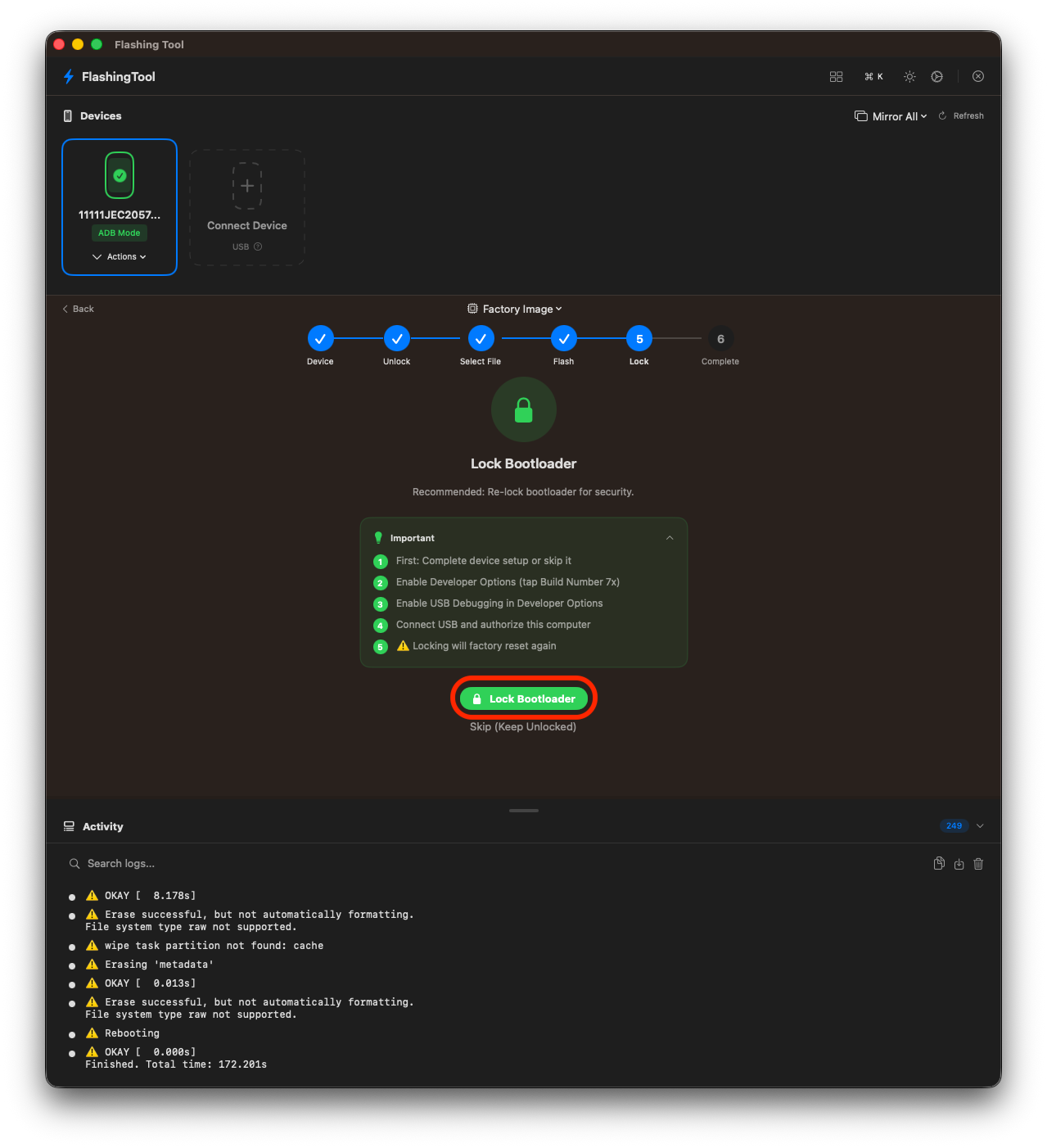
Factory Flash Workflow
Unlock bootloader → Select image → Flash → Lock bootloader → Done.
Every step guided. Every action logged.
Every step guided. Every action logged.
1 · SELECT
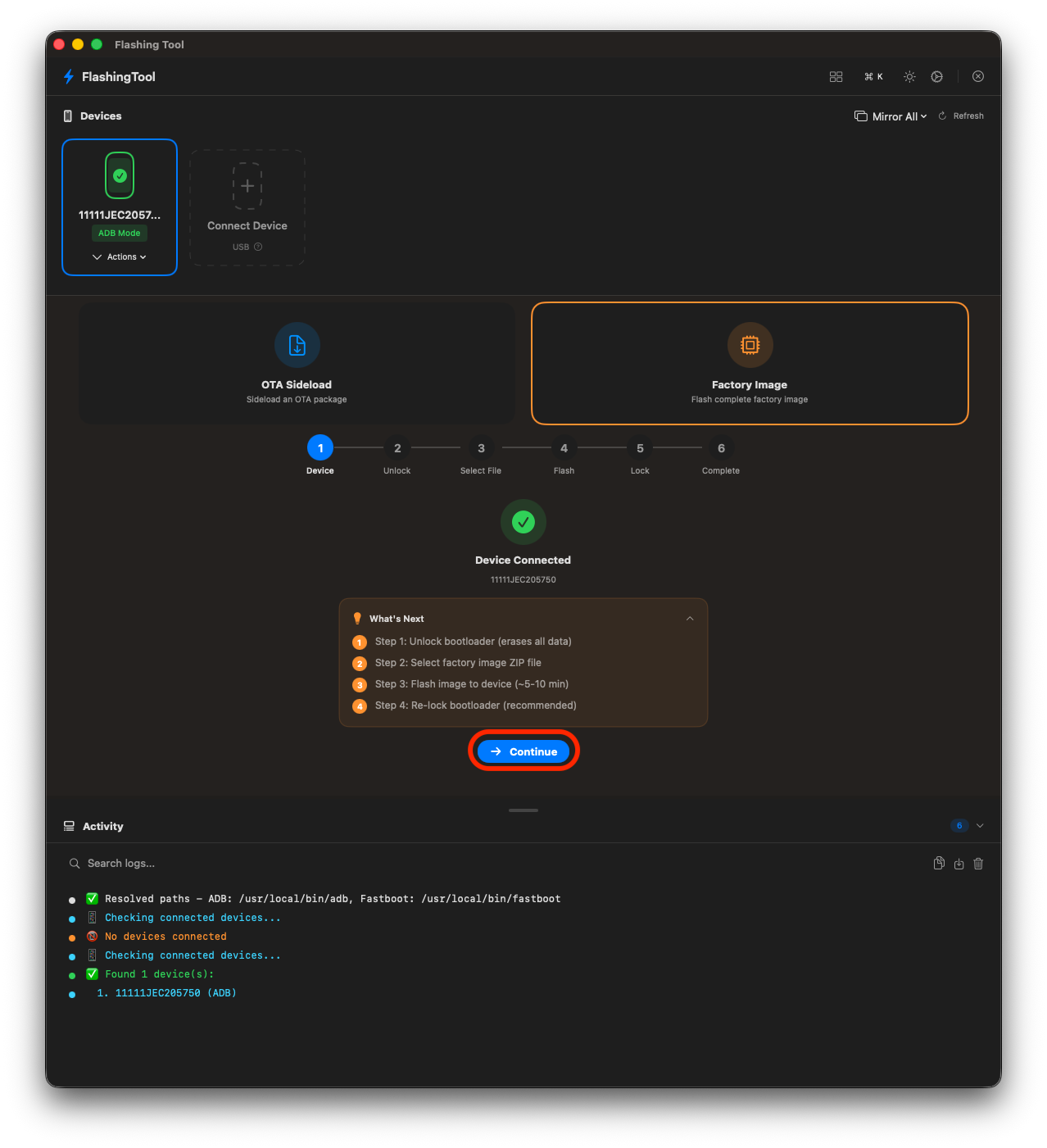
2 · UNLOCK
3 · IMAGE
4 · FLASH
5 · LOCK
⚡ FlashingTool
The Story Behind the App
I'm not a classically trained developer. I'm an engineer who's comfortable scripting and working with code.
Building a native macOS app in Swift was new territory.
I used AI as a development partner to help refine and implement what I had in my head. I knew the problem, the workflows, and what the tool needed to do. AI helped me bridge the gap between that vision and a shipping app.
I used AI as a development partner to help refine and implement what I had in my head. I knew the problem, the workflows, and what the tool needed to do. AI helped me bridge the gap between that vision and a shipping app.
Built With
Swift 5
SwiftUI
MVVM
ADB / Fastboot
scrcpy
macOS 12+